
Interactive forms that live inside WhatsApp chats
Capture leads, feedback, and bookings with drag-and-drop forms that render natively in WhatsApp. No external links, no website redirects — just seamless inline data collection.
Get Started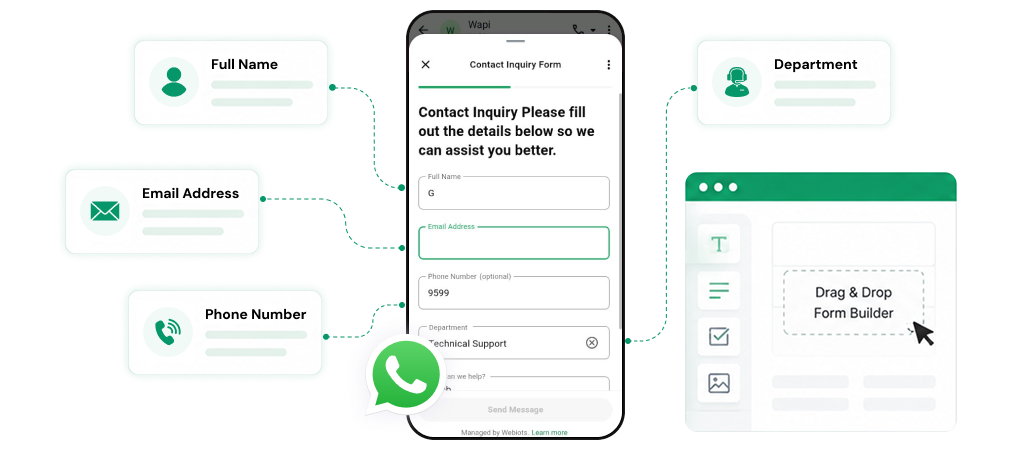
Everything you need to build powerful forms
Drag & Drop Builder
Design forms visually — add, reorder, and configure fields in seconds. No coding required.
Rich Field Types
Text, Text Area, Number, Email, Phone, Dropdown, Single Choice, Checkbox, and Date Picker fields.
Meta Flows Powered
Forms run on Meta's native interactive data collection system directly inside WhatsApp.
Keyword Auto-Trigger
Link forms to trigger keywords. When users type matching words, the form is sent automatically.
Submission Settings
Configure success messages, button text, and post-submission behavior for each form.
Response Resources
Package forms into shareable message flows with custom CTA button text for manual or automated delivery.
From design to delivery in three steps
A streamlined pipeline to create and deploy forms inside WhatsApp.
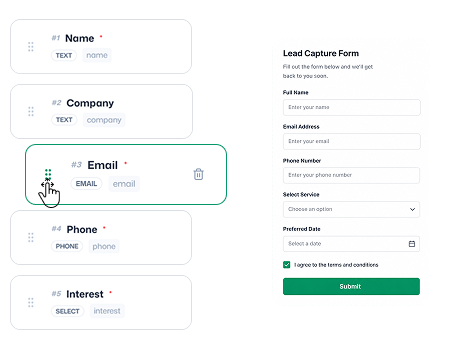
Design with drag & drop
Use the visual builder to add text inputs, email, phone, dropdowns, checkboxes, and date pickers. Configure field labels, placeholders, and toggle required validation on any field.
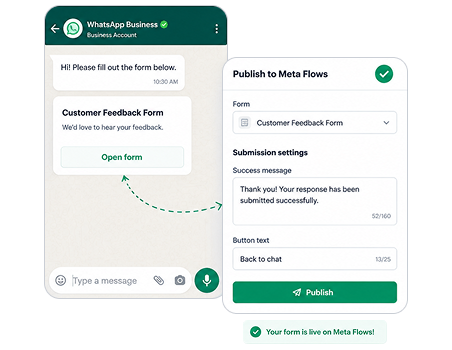
Publish to Meta Flows
Once designed, publish your form to Meta's native interactive form system. Define submission settings — custom success messages and button text — to guide users after they submit.
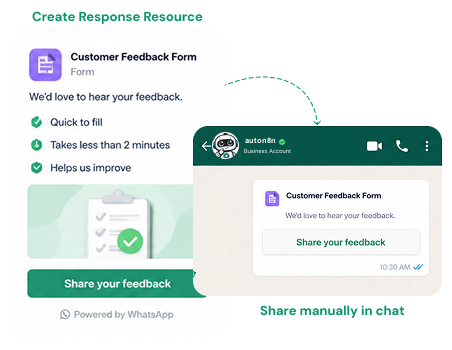
Share & automate delivery
Package your form into a Response Resource with a custom CTA button. Deploy it manually in chats or automate delivery via Keyword Triggers — when users type matching words, the form is sent automatically.
Available form components
Every field type you need to capture structured data.
Text & Text Area
Single & multi-line inputs
Validated email field
Phone
Validated number input
Dropdown
Multi-option select
Checkbox
Multiple selection
Single Choice
Radio button group
Date Picker
Native date selector
Number
Numeric input field